
Download and open
Run the Windows installer. It fetches the current bot and walks you through setup.
Tribalwars Bot Definitive Edition
It farms, scouts, breaks walls, builds, recruits, scavenges and trades around the clock. You make the big decisions. The bot does the rest.
1,950,279 farm attacks sent by the bot between 13 September and 4 October 2026. The game itself has named accounts running it Looter, Plunderer or Gatherer of the day more than 120 times. Each one means first place on the whole world that day.
7 days freeEvery feature. No card, no payment to start.
Windows 10 / 11, 64 bit · Google Chrome
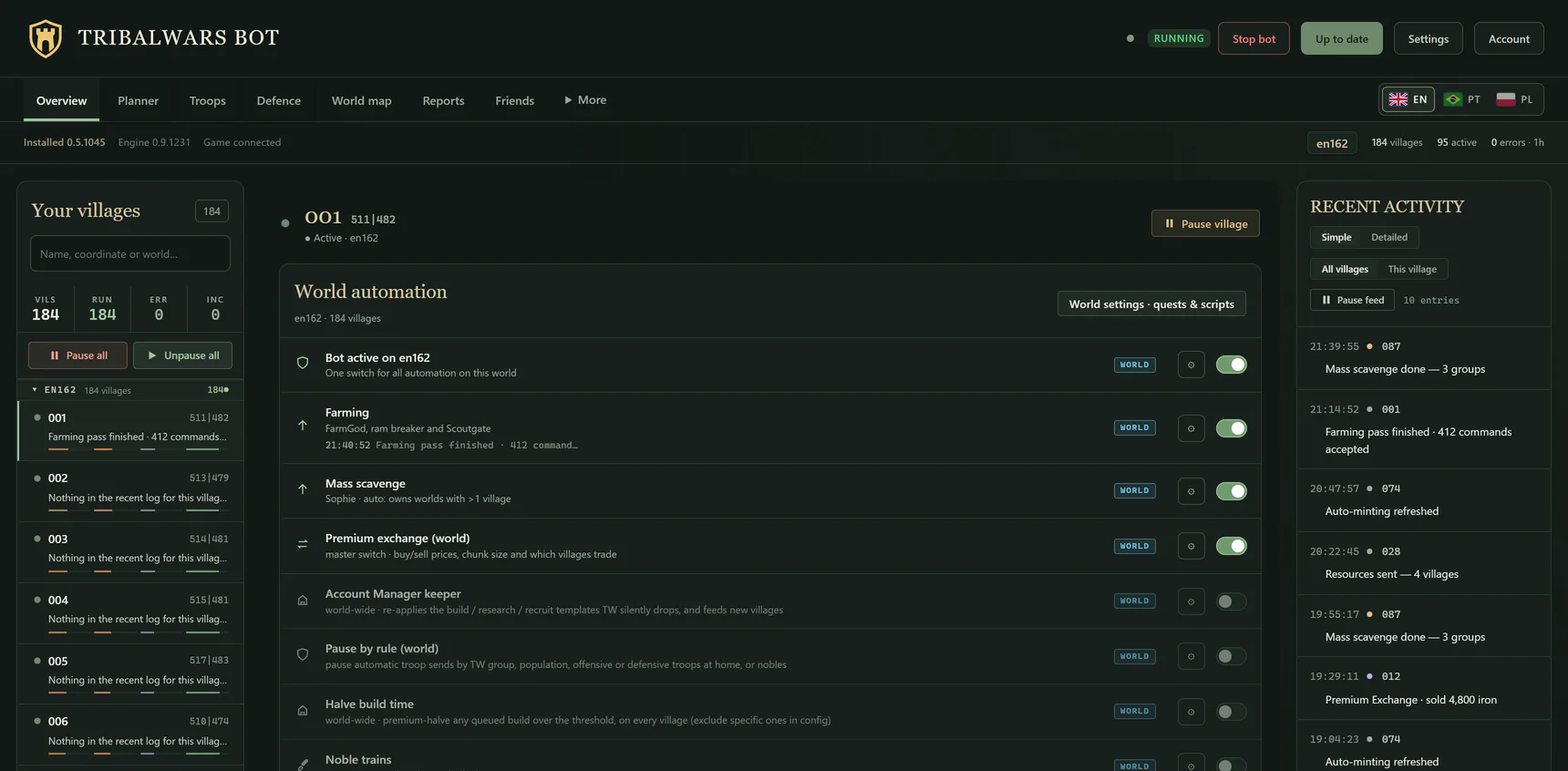
Finds the barbarian villages around you, scouts them, rams the walls down and keeps your light cavalry out day and night.
Run all your worlds side by side. Each one keeps its own settings and its own switch.
Line up nukes, noble trains, fakes and support. Approve the plan once and the bot launches every command at its moment.
Getting started
Install it, log in to the game and switch on what you want. Then go do something else.
Run the Windows installer. It fetches the current bot and walks you through setup.
Sign up inside setup and confirm your email. Your licence connects by itself. No key to copy.
Log in to the game in the window that opens and switch on farming in the dashboard. Your seven free days start when you say so.
Need a hand? Ask on Discord or follow the setup guide ↗
The dashboard
The screens you will use every day. Press a picture to see it at full size.
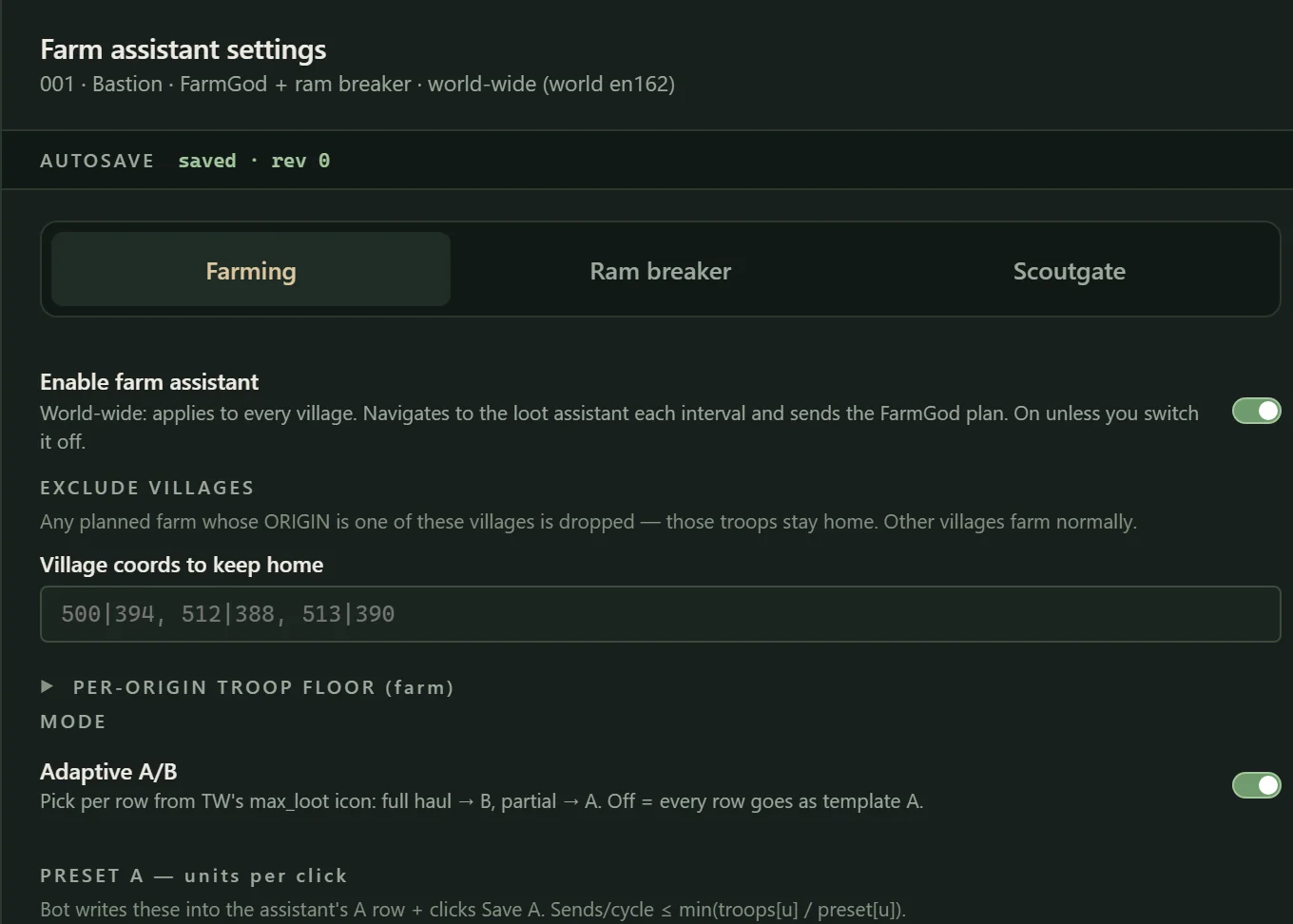
Farming
FarmGod, the ram breaker and the scout gate. You choose which villages keep their troops at home.
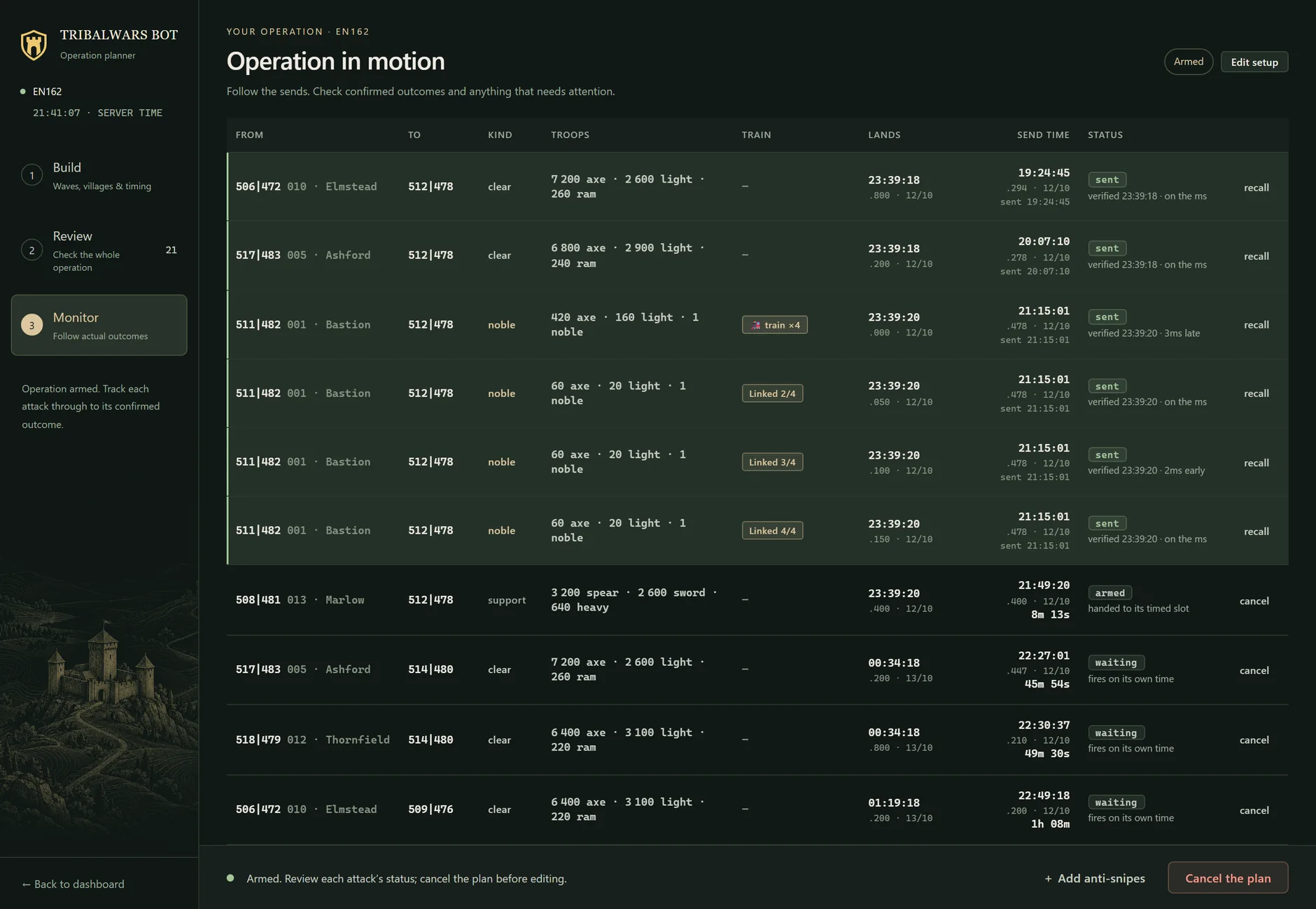
Operations, on the second
Nukes, noble trains and support each leave at their own moment. A row turns green when the game has confirmed it.
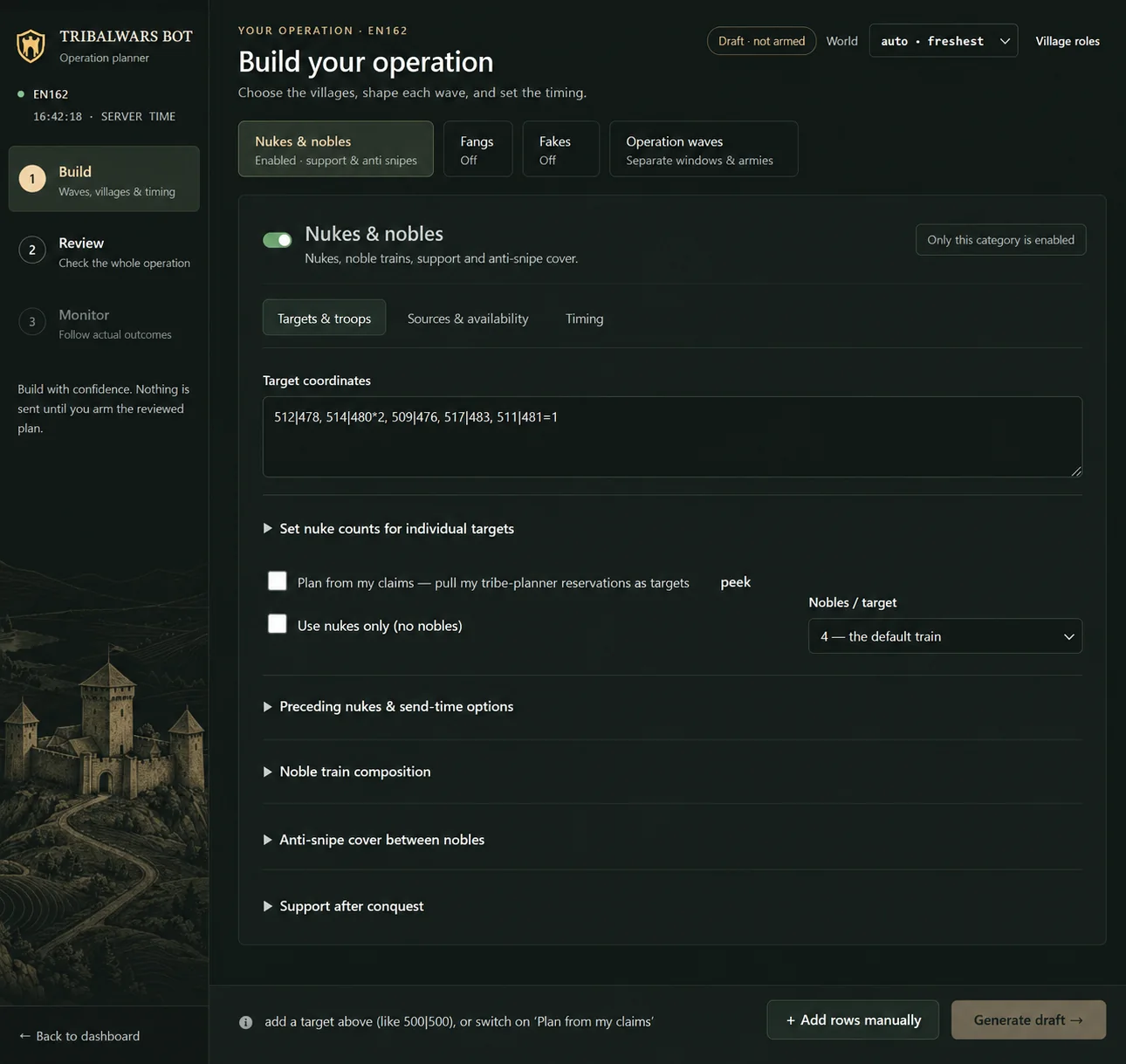
Plan it in a minute
Type the targets and choose the waves. The bot picks the villages, the troops and the timing. Nothing is sent until you have reviewed the plan.
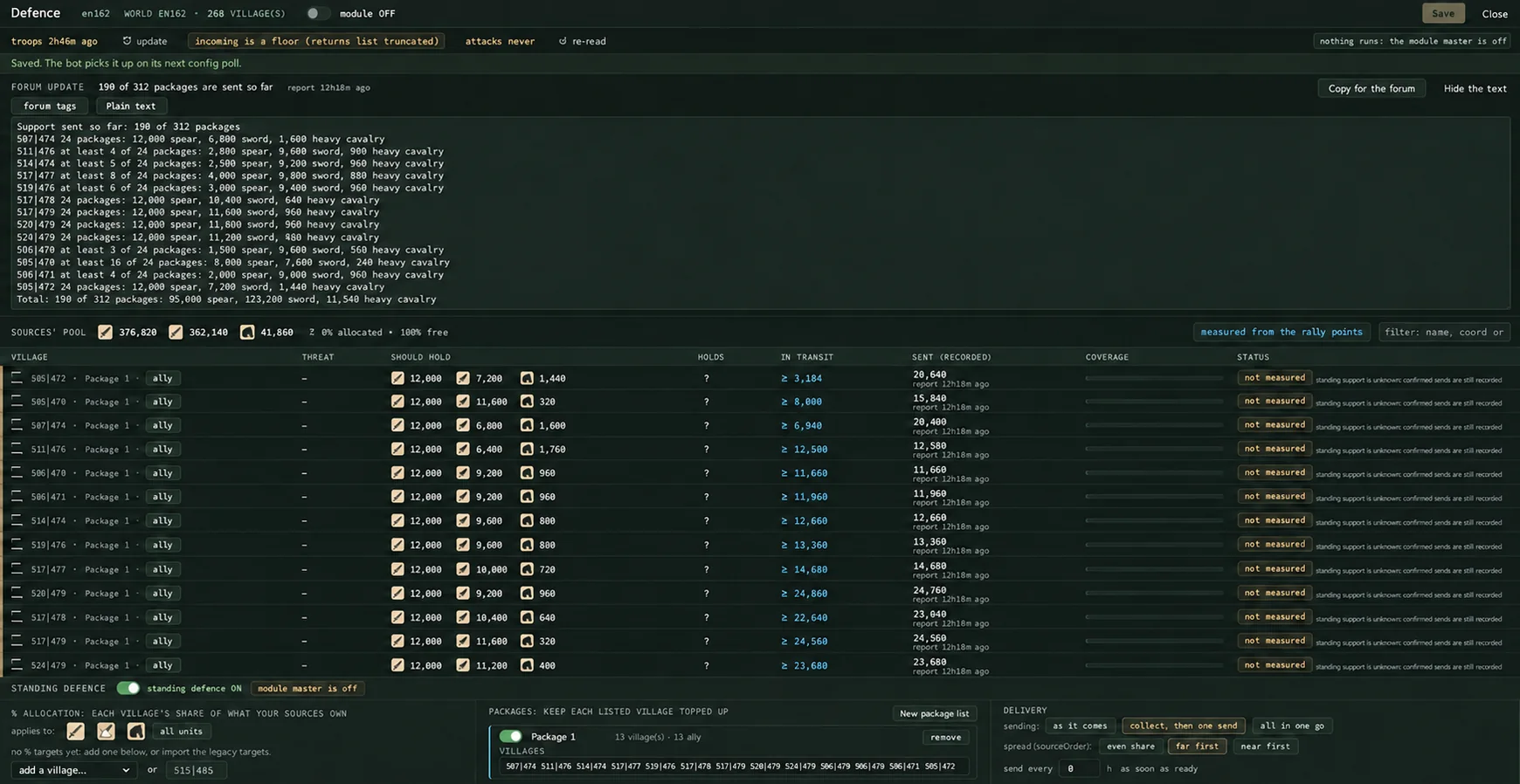
Defence
Support packages for the villages you name, kept topped up, with a text for the tribe forum that is ready to paste.
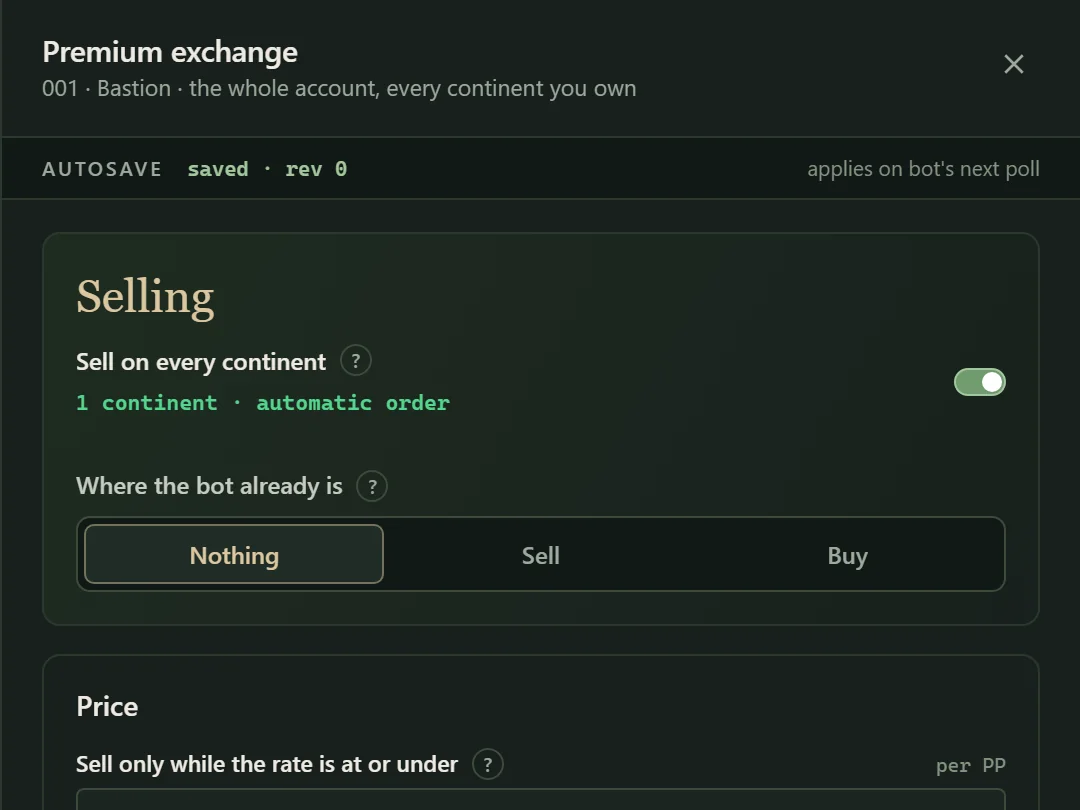
Premium Exchange
Sells what is above your keep line, and only at the rate you set.
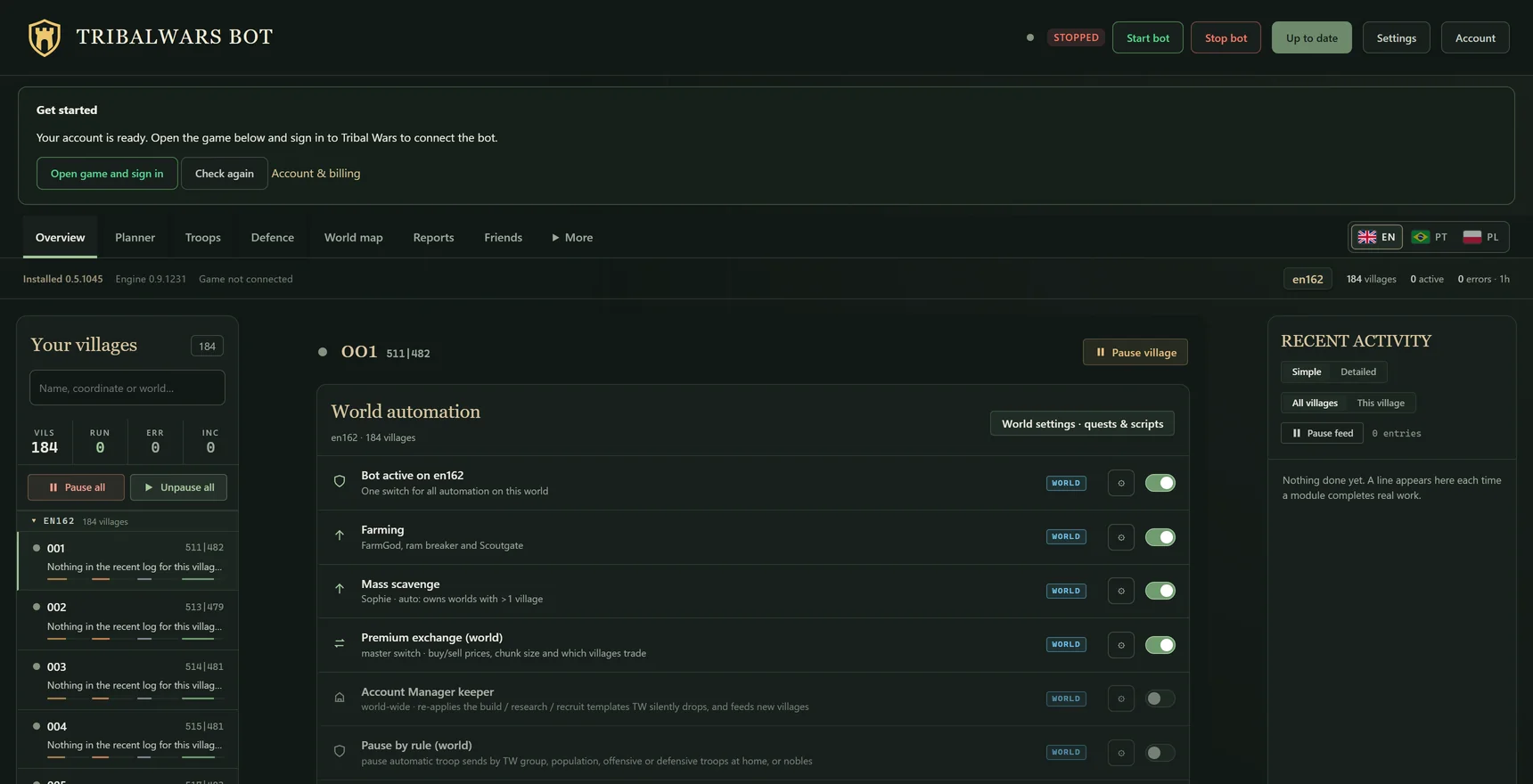
Running in minutes
Sign in, open the game from the dashboard and switch on what you want. The first seven days are free.
Every picture shows the dashboard with example data.
Also included
Building, recruiting, scavenging, standing defence, the market and coin minting. All in the same trial.
Set your building and recruiting priorities once. The bot keeps every queue full.
Building & recruitment ↗The bot sends what is home, in every village, and sends it again the moment it returns.
Scavenging ↗Sells and buys inside the limits you set, with every continent and merchant tracked.
Market automation ↗Trial access
Point it at your own villages and watch what it brings home. Keep it from $14.99 per 30 days if it earns its place.
Start your free trial
Optional continuation: $14.99 or $29.99 USD per 30 days.
Download & try freeWindows 10 / 11, 64 bit · Google Chrome
Your seven days start when you start the free trial in the bot dashboard, after connecting your game account. Buying access early keeps every unused trial day. Each payment adds 30 days; nothing renews automatically.
Download the Windows installer. The installer is not code signed yet, so Windows SmartScreen may show a warning. Ask on Discord or email support if you need help.
Prefer manual setup? Download the ZIP package.
After the trial
$14.99 per 30 days
$29.99 per 30 days
Before you start
Straight answers about the trial, your worlds and how the bot runs.
All questions & answersYes. Create your account and connect your game, then start your free trial in the bot dashboard. No card or payment is required. If you want to continue, buy 30 days from your account. Any unused trial days are kept.
Tribalwars Bot supports all official Tribal Wars regions and worlds. The features available depend on the settings and game features in each world. It runs on Windows 10 or 11 with Google Chrome.
Open Connection & game settings in the local dashboard. Enter a world code such as en157 or de259, or paste the full official URL from an open game tab.
Tribalwars Bot is designed to reduce repetitive, mechanical behaviour with paced actions and a dedicated Chrome session. It uses game scripts where they are useful and pauses when the game needs your attention. This is not a guarantee against detection or account action.
Yes. Keep your PC awake and connected, with Tribalwars Bot and its game window running. You can use other apps at the same time. The bot does not run while your PC is asleep or switched off.
Tribalwars Bot Definitive Edition
Seven days, every feature, your own villages.
Download & try freeNo card required · No automatic renewal